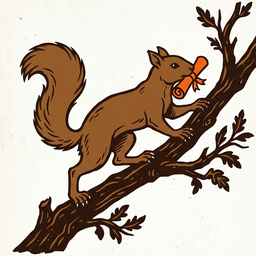
Word came down the trunk again. Ratatoskr never carried treasure. The old poems have him running between the eagle at the crown and the serpent at the roots with nothing but words, and the words were what mattered.
A wallet is the same. The coins stay on the chain; what you keep is twelve words. Whoever holds them holds what they open, on any device, and nobody else can give them back.
What follows is which wallet does what, where its keys live, and how to keep the words safe. The steps are plain.
Three wallets, by purpose #
The web wallet #
A lean wallet for everyday use: hold RATR, send and receive it, and bridge it to other chains. It runs in the browser, with nothing to install.
wallet.ratatoskr.enchantedforestdefi.com →
Draupnir #
A web wallet that carries the masternode toolkit as well: setting up a masternode, running it, and voting in masternode governance. Chapter IV covers that side.
draupnir.ratatoskr.enchantedforestdefi.com →
The desktop wallet #
RATR also has a desktop wallet, which runs on your own computer. The release page has a build for each supported platform.
Desktop wallet releases on GitHub →
- From the release, download the file for your computer, along with SHA256SUMS and SHA256SUMS.asc.
- Fetch the release signing key from keyserver.ubuntu.com by its fingerprint, and check the
fingerprint matches:
50B8 E0E4 EADA 2FF2 9B1D E68F 7A33 CFF5 63BB 2E0A. Some release pages also attach the key. - Check that SHA256SUMS.asc is a valid signature on SHA256SUMS by that key.
- Check that your file's SHA-256 hash matches its line in SHA256SUMS.
Warnings you should expect
GPG reports that the key is not certified with a trusted signature. That only means you have not signed the key yourself. What matters is Good signature and a fingerprint that matches the one above.
If Windows warns that the publisher is unrecognised, or macOS blocks the first launch, the signature and checksum steps above are the project's check that the download is genuine, not the system prompt.
Releases are built with Guix, the reproducible-build system Dash and Bitcoin Core use. Anyone can rebuild a release from source with the tools in the repository and compare the result against the published SHA256SUMS.
Two web wallets, two separate products #
The two web wallets are separate products, each at its own address. Neither is a version of the other. Each keeps its own copy of your wallet in your browser, so setting up one does not set up the other. To use the same wallet in both, restore your phrase in each.
Where your keys live #
A web wallet is made from a 12-word recovery phrase, in English. Your keys are derived from those words. The wallet keeps them encrypted in your browser, behind a local passcode you set on that device.
No server holds your keys or your phrase. The service behind the wallets reads the chain for you, and it can prepare a transaction and relay it once it is signed, but only your device signs. That holds for every transaction: sends, bridge transfers and masternode registrations alike.
One key is the exception, and only if you choose a hosted masternode: the host generates and holds that node's operator key so it can run the node. It is the one key you do not hold, and it cannot move your collateral. Chapter IV sets out the keys.
The twelve words are the only backup #
Your 12-word recovery phrase is the only backup of your wallet and the only thing to write down. Write the words in order, on paper, and keep them where only you can reach them.
- The passcode is not a backup. It unlocks the wallet on the one device where you set it, and nowhere else.
- Removing a wallet from a device deletes it from that device. Only the twelve words bring it back. A copy you set up separately on another device or browser is not affected.
- Nobody can recover it for you. No copy of your phrase or your keys exists anywhere but with you.
The same words in other wallets #
The phrase from a web wallet also opens the desktop wallet. Any other wallet that restores it needs the same settings.
Restoring in another wallet: the settings #
- Phrase: BIP39, 12 words, English.
- Derivation path:
m/44'/530'/0'/0/0. RATR uses coin type 530. - Address: the web wallets use only the first address on that path, index 0.
- Passphrase: none. If you added an extra passphrase to your recovery phrase in the desktop wallet, the web wallets cannot open those funds; they use the 12 words alone.
Why the desktop wallet can show more #
A web wallet uses a single address from your phrase. The desktop wallet shows every address in the wallet, including the ones it creates for change as it sends. So:
- The desktop wallet can show more than the web wallet ever did.
- A web wallet can show less for a phrase whose coins sit on other addresses.
That is scope, not loss. The coins are on the chain at those addresses, and the desktop wallet shows them all.
Group 0 addresses only #
Every EnchantedForestDeFi contract on Alephium is in group 0: Nóatún, the Yggdrasil Roots pool, the Amber Hollow pools, and the xALPH contract they use. Alephium splits addresses into groups, and a contract can only be used from an address in its own group. So the Alephium address you use with the ecosystem must be a group 0 address.
The web wallets in this chapter hold RATR. On Alephium you use your own Alephium wallet, such as the Alephium extension or desktop wallet. When you create or choose an address there, choose group 0.
Holding and receiving wRATR work in any group, and moving funds between your own addresses is an ordinary Alephium transfer, nothing to do with the bridge. Bridging straight to a group 0 address saves that extra step.
Never #
- Never enter your phrase on a site you reached from a link. Type the wallet's address yourself, or use a bookmark you made.
- Never share it. Anyone who has the twelve words can take everything they open.
- Never paste it into a chat, a support conversation or a form. No question about a wallet needs the phrase to answer it.
Carried down 2026-10-03. This chapter states what holds for every version of the wallets. Their current features are in the wallets themselves. The derivation is read from the desktop wallet's source in the public ratatoskr repository, src/chainparams.cpp and src/wallet/hdchain.cpp.