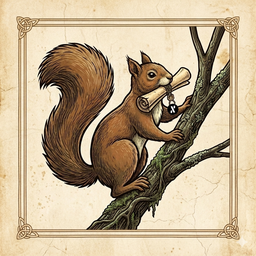
Ratatoskr runs the length of the tree, from the eagle at the crown to the serpent at the roots. He has never carried a coin. What he carries is word.
That is how a bridge works. The RATR you send stays at the roots, on its own chain, held. What runs up the trunk is word of it, and on the far branch wRATR is issued against it, one for one. Burn the wRATR there and word runs back down, and the RATR is released.
What follows is the bridge as you use it: what to have ready, how to send and receive, and what to do if a transfer is slow. The steps are plain.
What a bridge does #
RATR lives on its own chain. A bridge holds RATR sent to it and issues the same amount of wRATR on another chain. Burning wRATR on that chain releases the same amount of RATR. The RATR itself never leaves its chain.
There is one Ratatoskr bridge for each chain wRATR lives on, and each runs both ways:
- ratatoskrbridge.enchantedforestdefi.com: RATR and Alephium
- bifrost.enchantedforestdefi.com: RATR and Base
- bifrost-bnb.enchantedforestdefi.com: RATR and BNB Chain
Each bridge runs between RATR and one chain. To move wRATR from one chain to another, unwrap it to RATR on the first bridge, then wrap that RATR onto the next.
The bridges are custodial. The RATR sent in is held. Every wRATR that exists is backed by RATR held, one for one.
Chapter II gives the short version alongside the other ways to get RATR.
Before you start #
- Your own receiving address on the chain you are sending to: an Alephium address, or an EVM address for Base or BNB Chain. It must be an address whose keys you hold. Never use an exchange deposit address.
- A little extra for network fees. The transaction on the sending chain pays its own fee, on top of the amount you bridge.
Send from a wallet that writes the instruction #
A RATR transaction to a bridge has to carry your receiving address with it, as a routing instruction. That instruction is how the bridge knows where to issue the wRATR.
The web wallets build it for you from the address you paste. For the desktop wallet, the bridge page builds the commands, which you run in the wallet's console. Chapter V covers the wallets.
Never write the instruction by hand
If the instruction is missing or wrong, the RATR reaches the bridge with no destination, and the transfer can only be recovered by hand. Let the wallet or the bridge page build it.
Send RATR, receive wRATR #
- In the wallet's bridge, choose the chain you are sending to.
- Paste your own receiving address on that chain.
- Enter the amount of RATR.
- Read the address and the amount back, then approve.
- The transaction gathers confirmations on RATR's chain. Then the bridge issues wRATR to your address. A wait is normal.
From the desktop wallet, the same steps start on the bridge page instead: Chapter II, RATR to wRATR.
Send wRATR, receive RATR #
- Open the bridge for the chain your wRATR is on.
- Connect a wallet on that chain: an Alephium wallet for Alephium, any EVM wallet for Base or BNB Chain.
- Enter the amount and your own RATR address to receive it.
- Read the RATR address back, then sign. The wRATR is burned and RATR is released to that address.
An unwrap cannot be undone once it is signed.
If it reports a failure, stop. Do not send again. #
An error does not mean nothing was sent
A send that reports an error may still have been broadcast. Sending again can send twice.
This is why a report asks for the transaction id: so it can be checked whether the transfer already went through, before anything is sent a second time.
- Stop. Do not press send again.
- Look in the wallet's history for the transaction.
- Look it up on the explorer for the chain you sent from.
- If it is there, it is on its way. Follow it as in When a transfer hasn't arrived.
Limits #
The wallet limits the size of a single transfer, below what the bridge itself accepts. Larger amounts are moved as several transfers, and each one pays its own network fee.
Each bridge also has a minimum, a most per transaction, and a daily maximum. These can change, so this chapter does not quote them. The wallet shows its current maximum, and the bridge page shows the bridge's limits in force before you send anything.
When a transfer hasn't arrived #
A transfer moves in two stages. First the transaction gathers confirmations on the chain it was sent from. Then the bridge processes it and issues or releases on the other side. Neither stage is instant, and a wait is normal.
- Find the transaction on the explorer for the chain you sent from, and check it has confirmed.
- Once it has, the bridge processes it. The bridge page tracks a transaction by its id.
- If it is well past the usual time, report it in the EnchantedForestDeFi Discord, linked from links.enchantedforestdefi.com, with the transaction id, the chain and the direction. Do not send again.
Never #
- Never send to a bridge address from an exchange. An exchange withdrawal cannot carry the routing instruction.
- Never send masternode collateral or hosting top-ups to a bridge address.
- Never write the routing instruction by hand.
- Never receive into an exchange deposit address.
Contract addresses #
This chapter does not print contract addresses. Copy them from the source: the official contracts list on the sites page, and the Reference chapter. Check a token's address there before you buy or add it to a wallet.
Carried down 2026-10-04. This chapter states rules, not snapshots: limits, fees and confirmation counts are on each bridge's own page and in the wallet.